 Kitsouk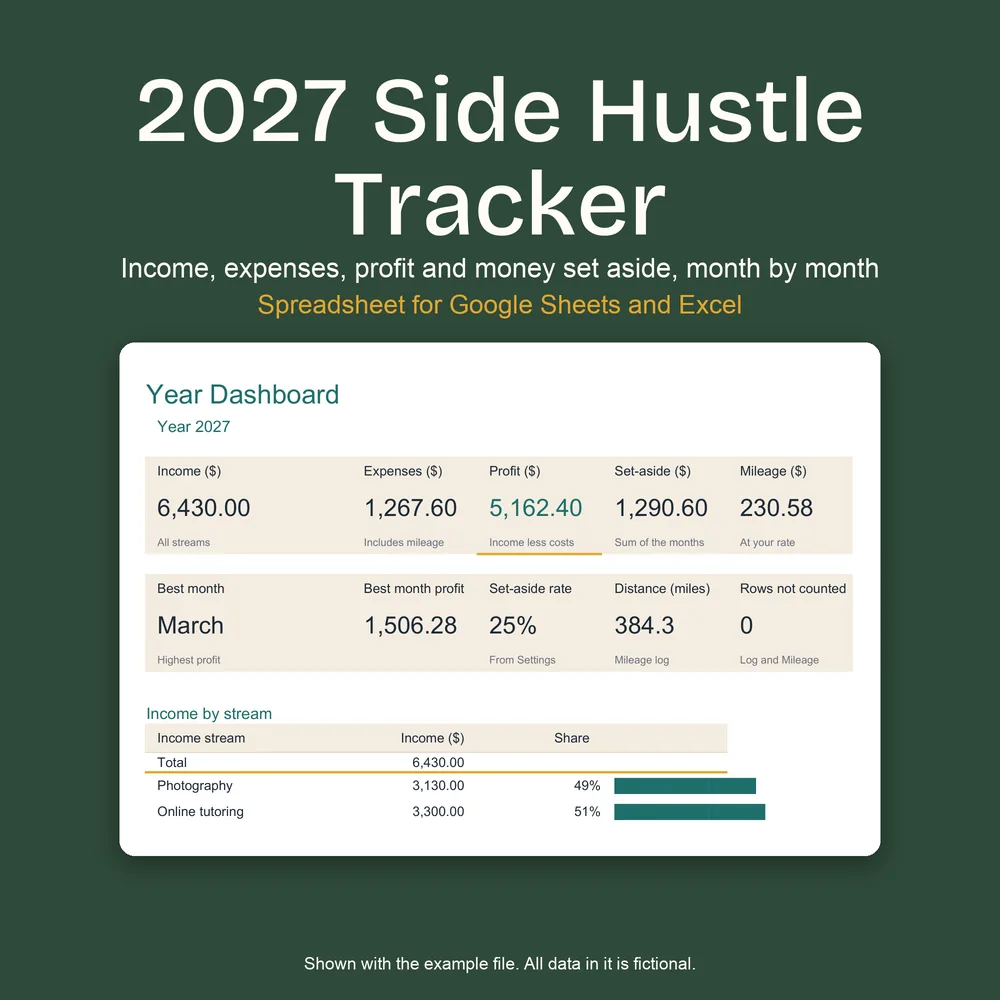
2027 Side Hustle Income and Expense Tracker
A spreadsheet for money from a side job or a small solo business in 2027. Every amount goes in one log; the tracker shows your profit for each month and each income stream, the amount to set aside at the rate you choose, and your mileage, with the year on one dashboard.
Digital download: nothing is shipped. You buy it in the KitsoukStudio shop on Etsy, which collects any sales tax or VAT due where you live.
Also in the 2027 Budget Bundle, with three other planners, for 24 USD.
Buy on Etsy for 12 USD- Seven tabs in one .xlsx file, plus a filled example
- Up to 10 income streams and 20 expense categories
- Money set aside at your own rate, by month and quarter
- A record of what you type, not tax advice
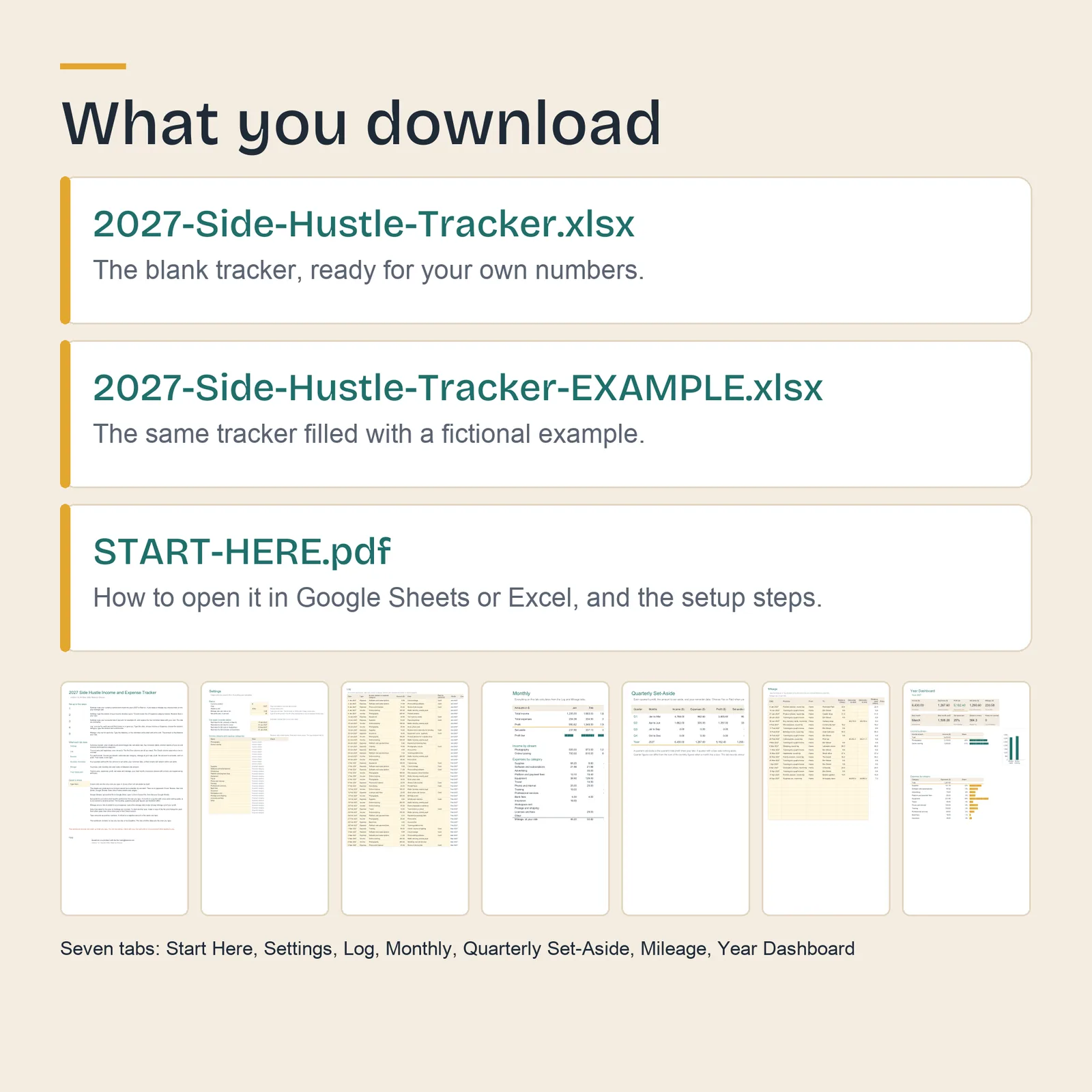
What you download
- 2027-Side-Hustle-Tracker.xlsxThe blank tracker, ready for your own numbers.
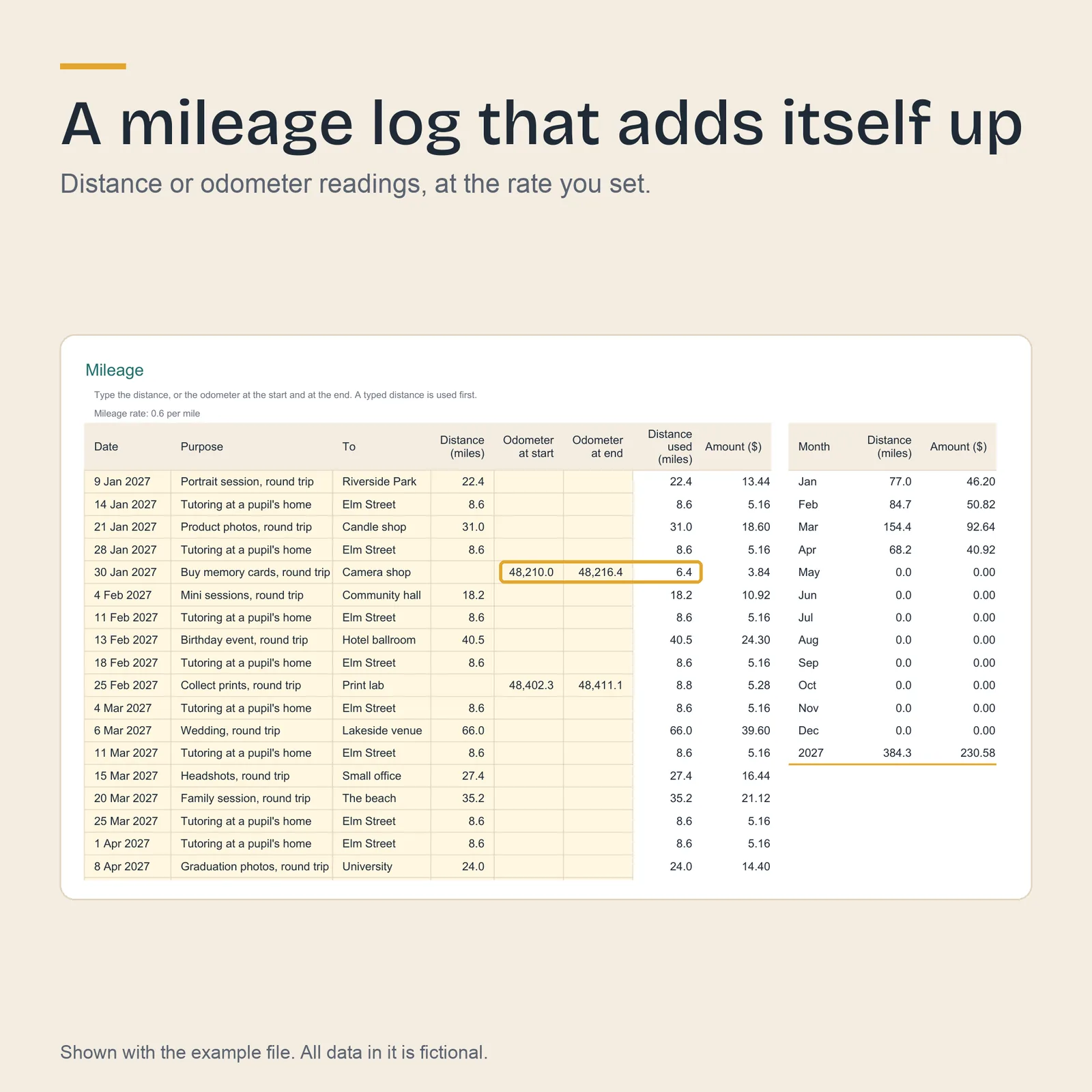
- 2027-Side-Hustle-Tracker-EXAMPLE.xlsxThe same tracker filled with a fictional example: weekend photography and online tutoring, January to April 2027, and 21 trips in the mileage log.
- START-HERE.pdfHow to open the files in Excel or Google Sheets, and the setup steps.
The seven tabs
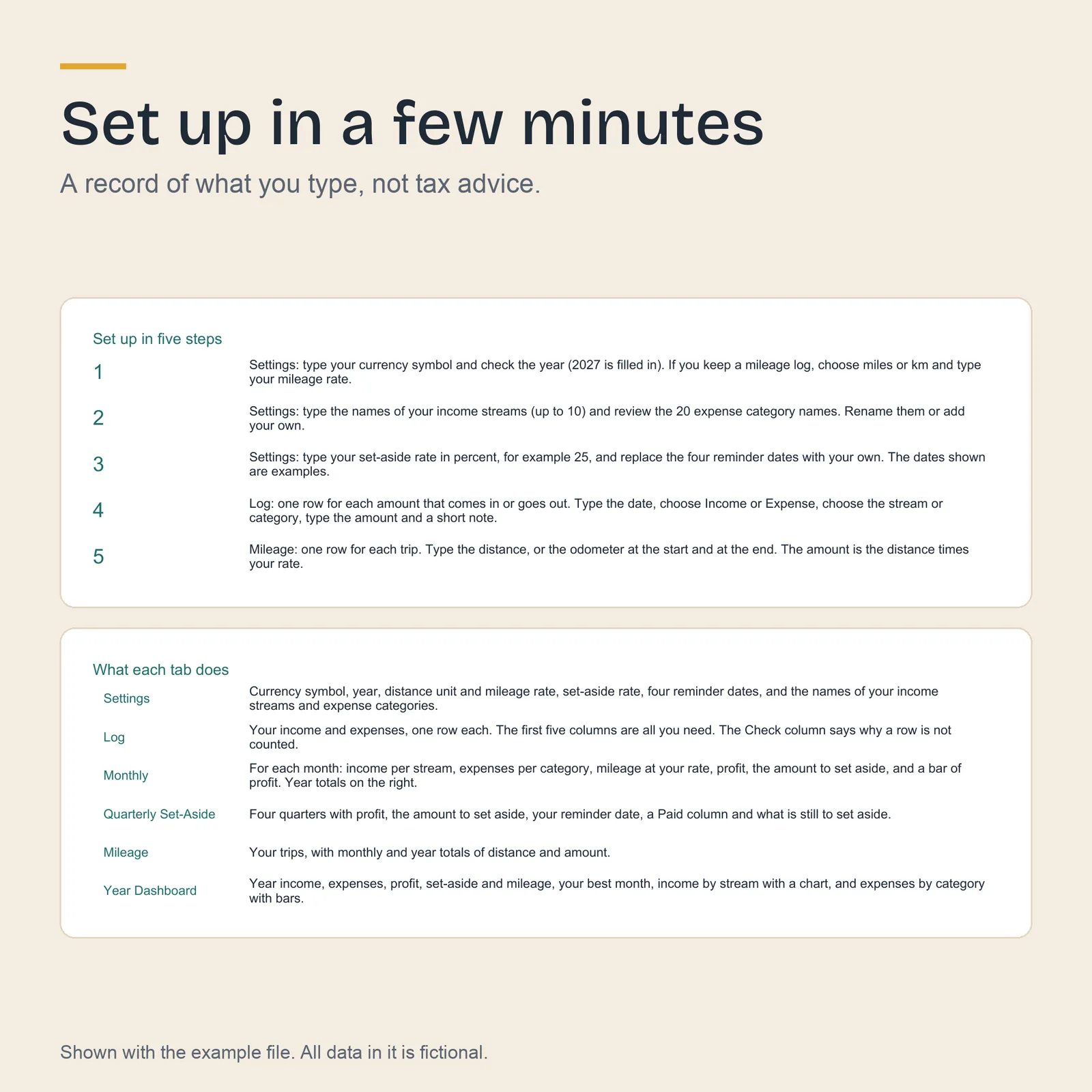
- Start Here
- The setup steps and what each tab does.
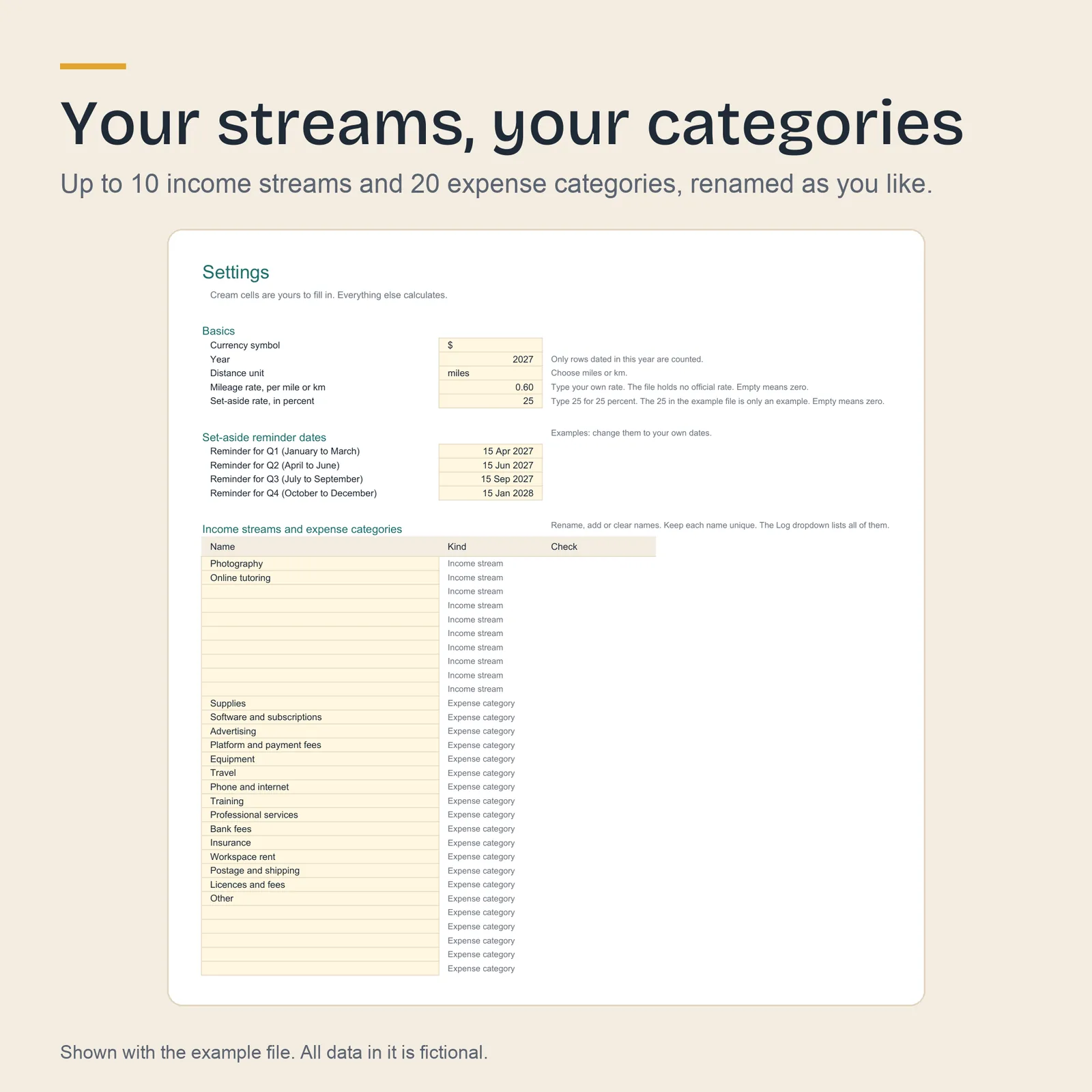
- Settings
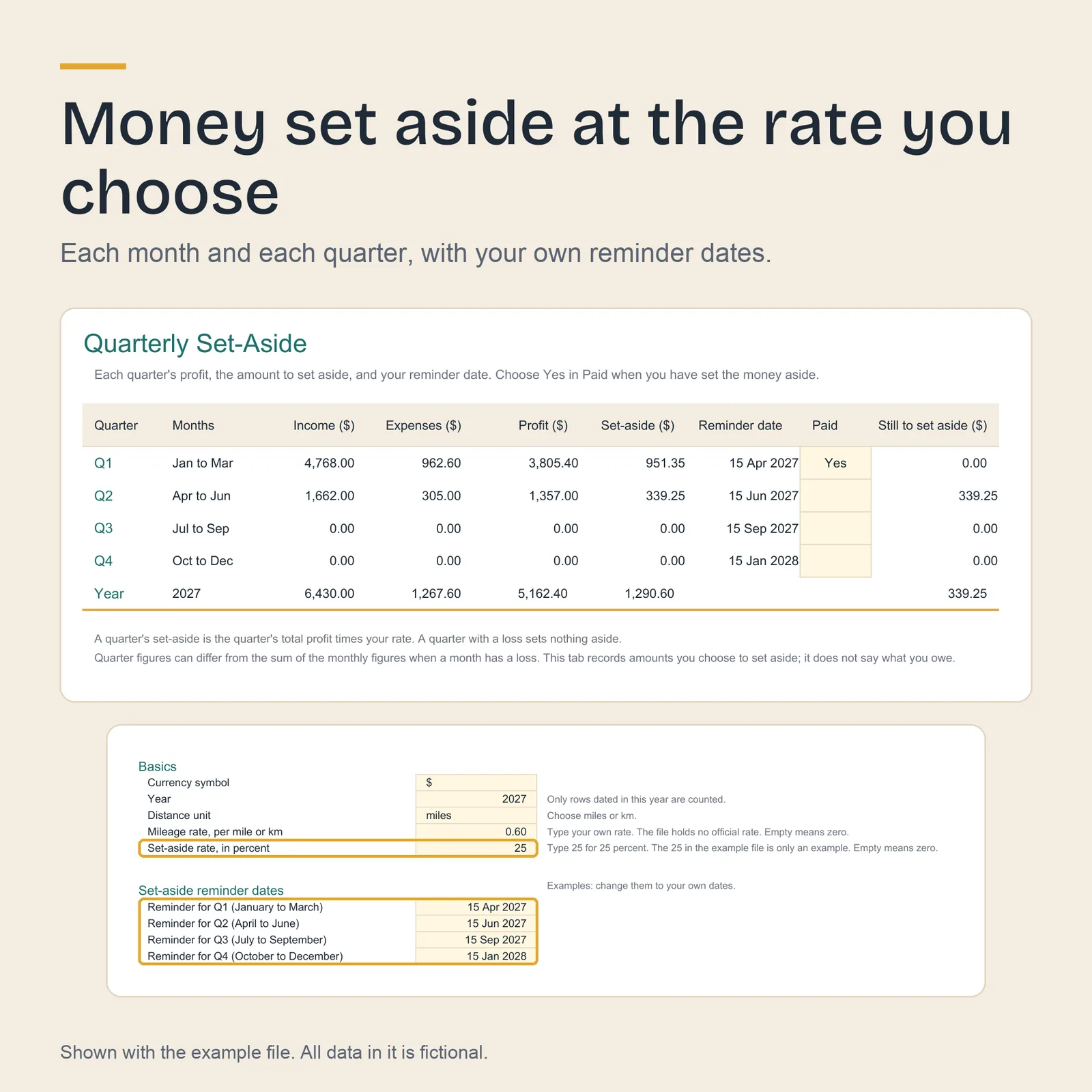
- Your currency symbol, the year, up to 10 income streams and 20 expense categories, your set-aside rate, miles or kilometres with your rate, and four reminder dates of your own.
- Log
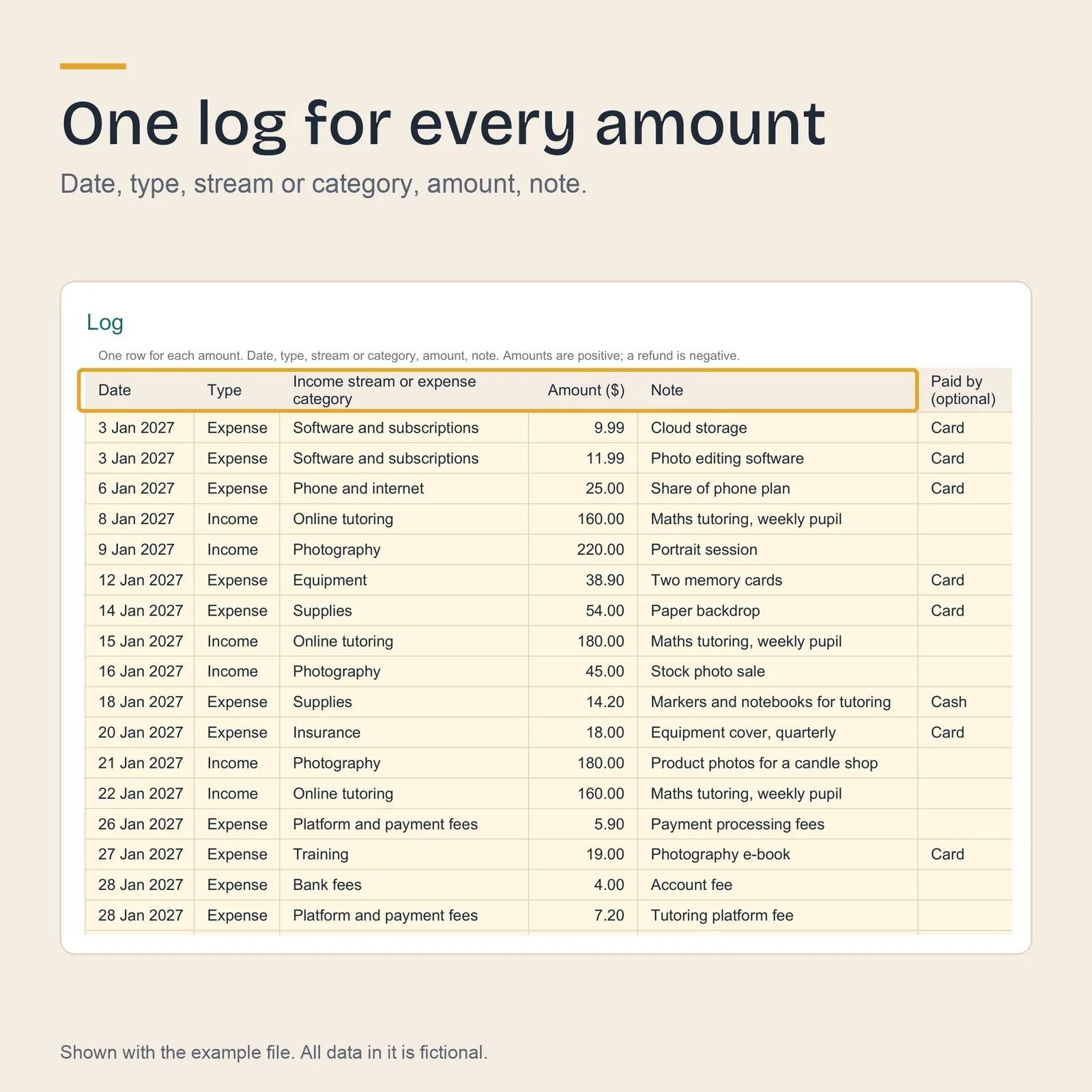
- 1,500 rows: date, type, stream or category, amount and note. A Check column says why a row is not counted.
- Monthly
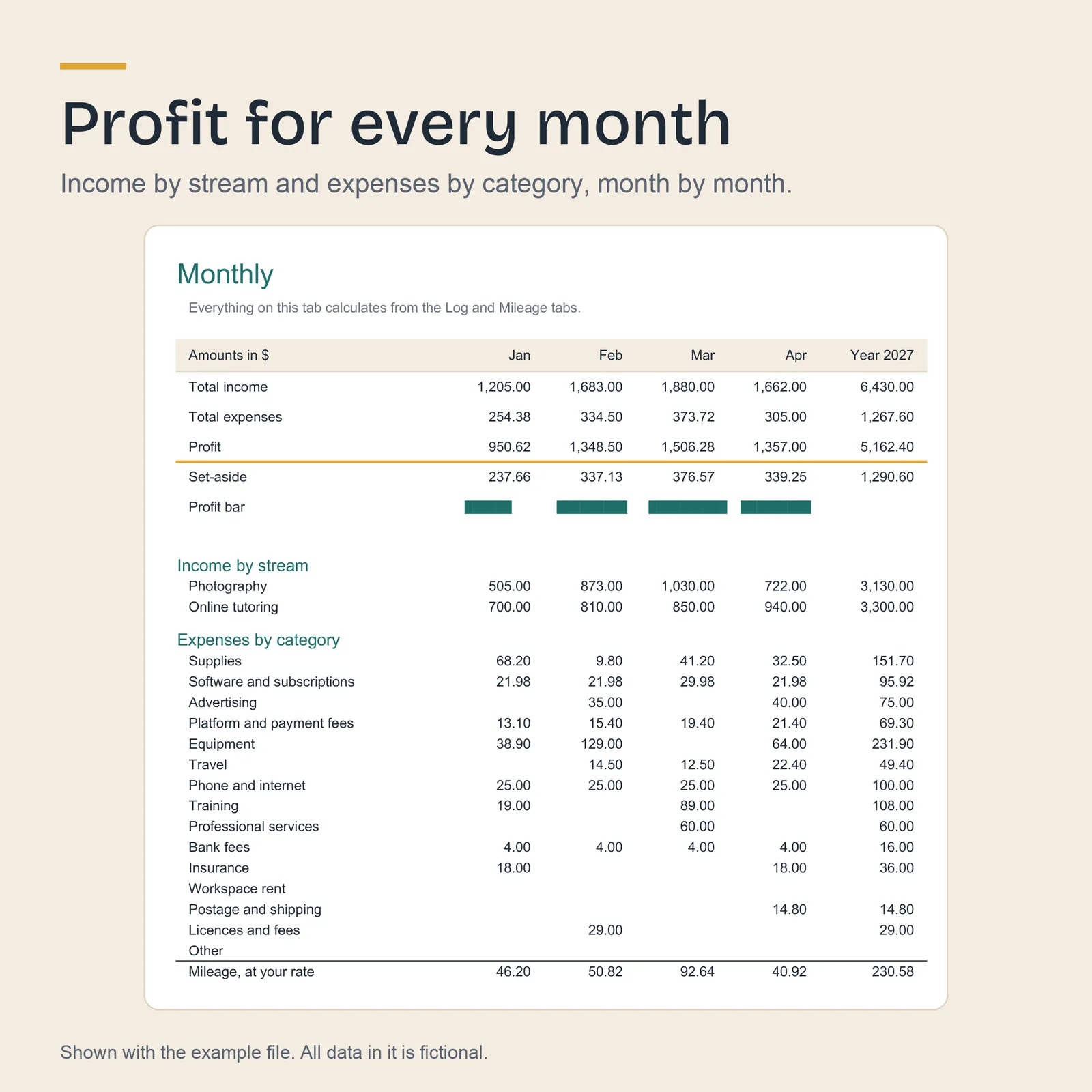
- For each month: income by stream, expenses by category, mileage at your rate, profit and the amount to set aside, with year totals.
- Quarterly Set-Aside
- Each quarter's profit and amount to set aside, your reminder date, a Paid column and what is still to set aside.
- Mileage
- 500 rows of trips, by distance or odometer readings, at the rate you set.
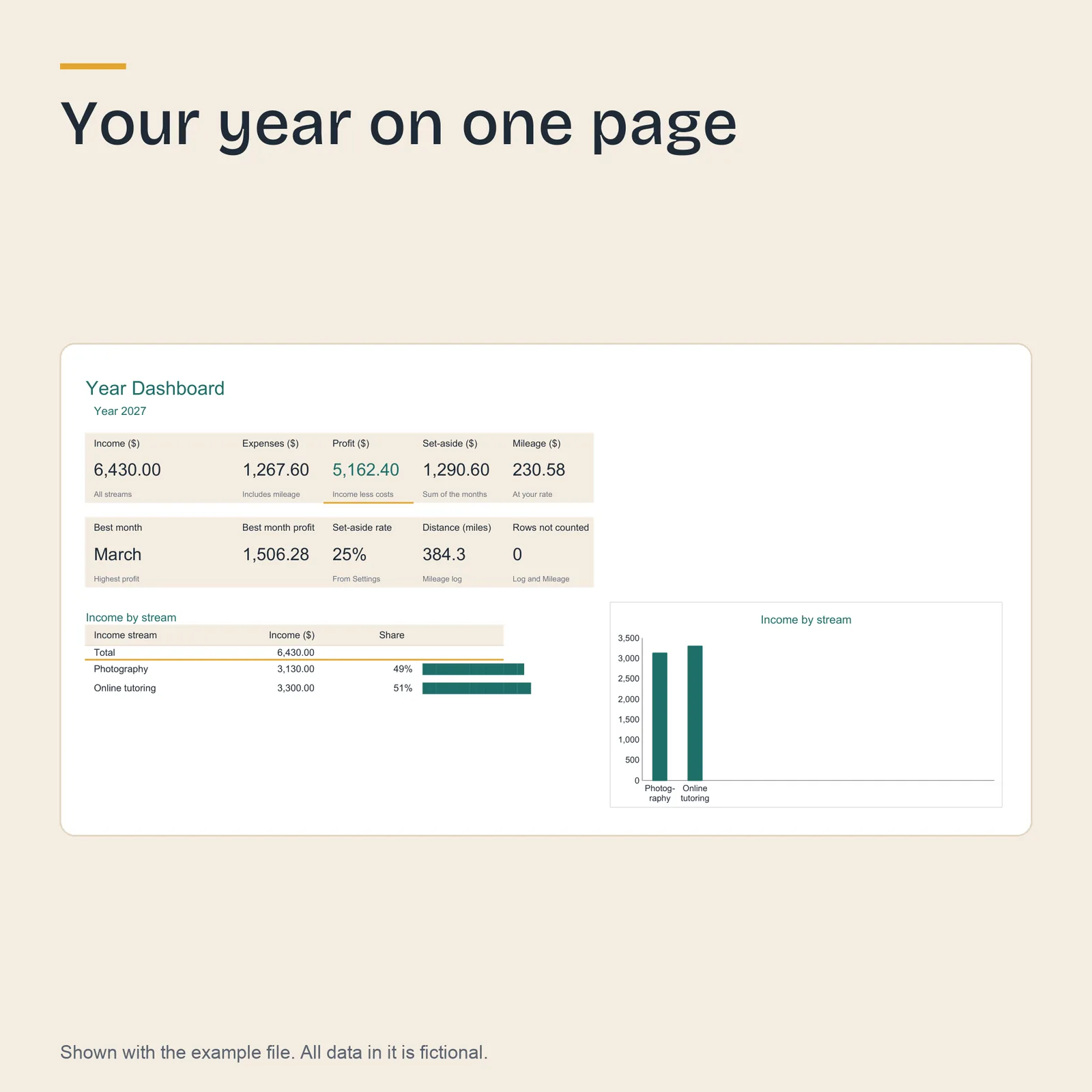
- Year Dashboard
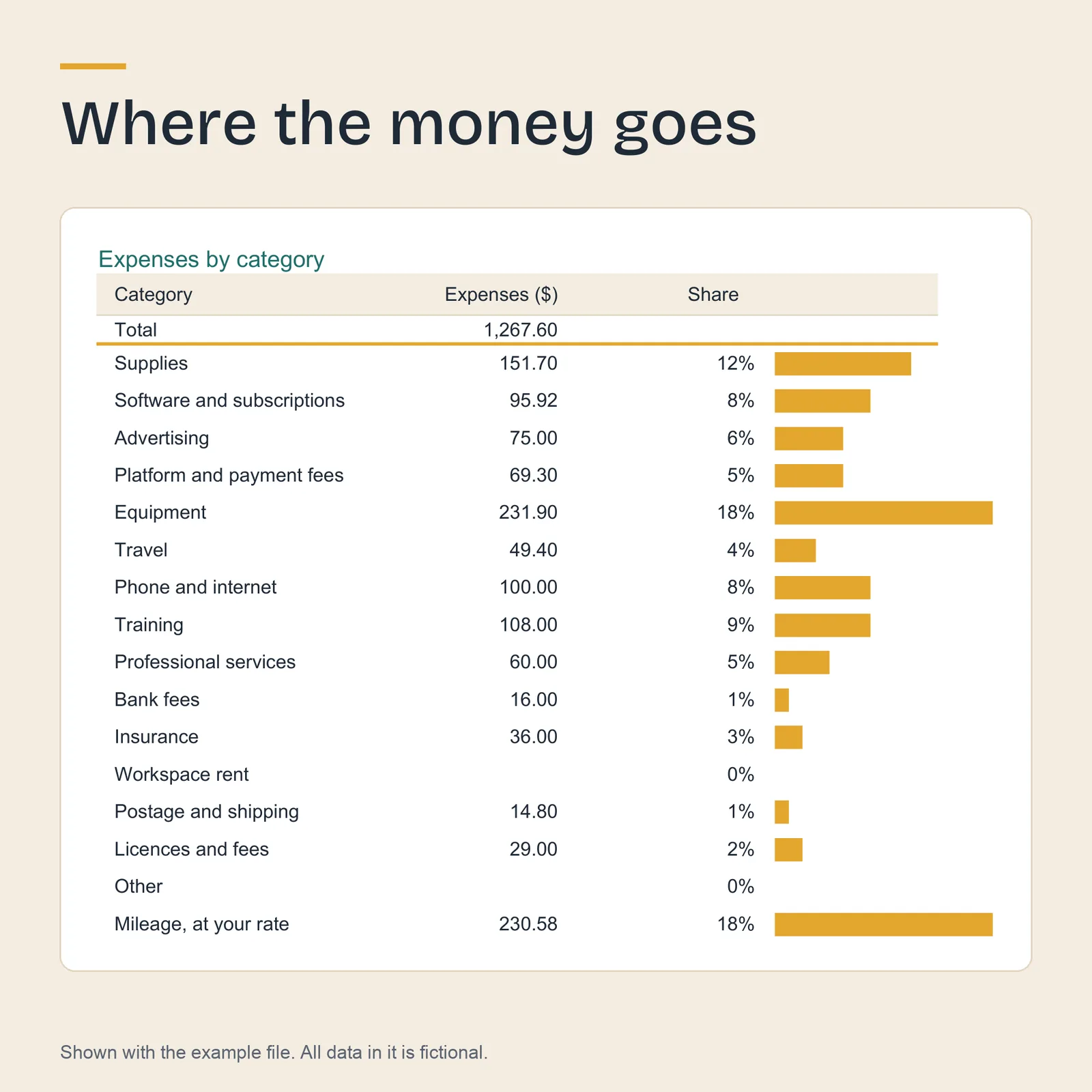
- The year's income, expenses, profit, set-aside and mileage, your best month, income by stream with a chart, and expenses by category with bars.
Screenshots
Shown with the example file. All data in it is fictional. Select an image to open it full size.
How it works
You type only in the cream cells. Every other cell calculates. In Excel and LibreOffice the sheets are protected so that a formula cannot be overwritten by accident; there is no password, so you can unprotect any sheet. Google Sheets does not keep that protection when it converts the file, so there, keep to the cream cells.
The amount to set aside is the profit times the rate you type; a month with a loss sets nothing aside. Mileage counts as an expense at the rate you type, and leaving the rate empty keeps it out of profit.
What it works in
- LibreOffice Calc
- Tested
Both files recalculate with no error value in any cell, checked by 55 automated tests. - Google Sheets
- Built for
Upload the .xlsx file to Google Drive, open it, then choose File, then Save as Google Sheets. - Microsoft Excel
- Built for
Excel 2019 and later, and Microsoft 365, on Windows or Mac. The file uses no function newer than Excel 2019.
Who it suits
- People with a side job, freelance work or a small solo business who want one record for the year.
- Anyone who sets money aside for the tax on that income and wants the amount worked out each month.
- Anyone who drives for that work and keeps a mileage log.
What it does not do
- It is not tax advice. It does not say which expenses count for tax, which rate to use or what you owe; check with your tax authority or an accountant.
- It does not connect to a bank or a selling platform: every row is typed or pasted.
- It works in one currency and for one year per file, and it stores no receipts.
Questions
Can I use it for 2028?
Yes. Make a copy of the file and change the year on Settings.
Can I use it on my phone?
The tabs are wide tables that read best on a computer or a tablet.
Where do I find the files again?
Sign in to Etsy in a web browser, open Purchases, then choose Download Files. The Etsy app does not download digital files.
Can I get a refund?
If a file does not work as described here and I cannot fix it, you get a full refund. Write to hello@kitsouk.com within 14 days of your purchase. The refund policy has the details.
How was it made?
The tracker and its tests were written with an AI assistant, under my direction. Before release the formulas were checked by 55 automated tests in LibreOffice, with figures worked out separately. The screenshots are images of the actual example file; no AI image generator was used.
2027 Side Hustle Tracker
12 USD. Two .xlsx files and a PDF guide, by download.